Creating a Project
Set up your first project in CtxSync
Creating a Project
A project is your workspace in CtxSync. It groups together your sources (repos, websites, files), chats, and the isolated container where your AI assistant runs. Think of it as a self-contained context bubble for a specific codebase or topic.
Create a new project
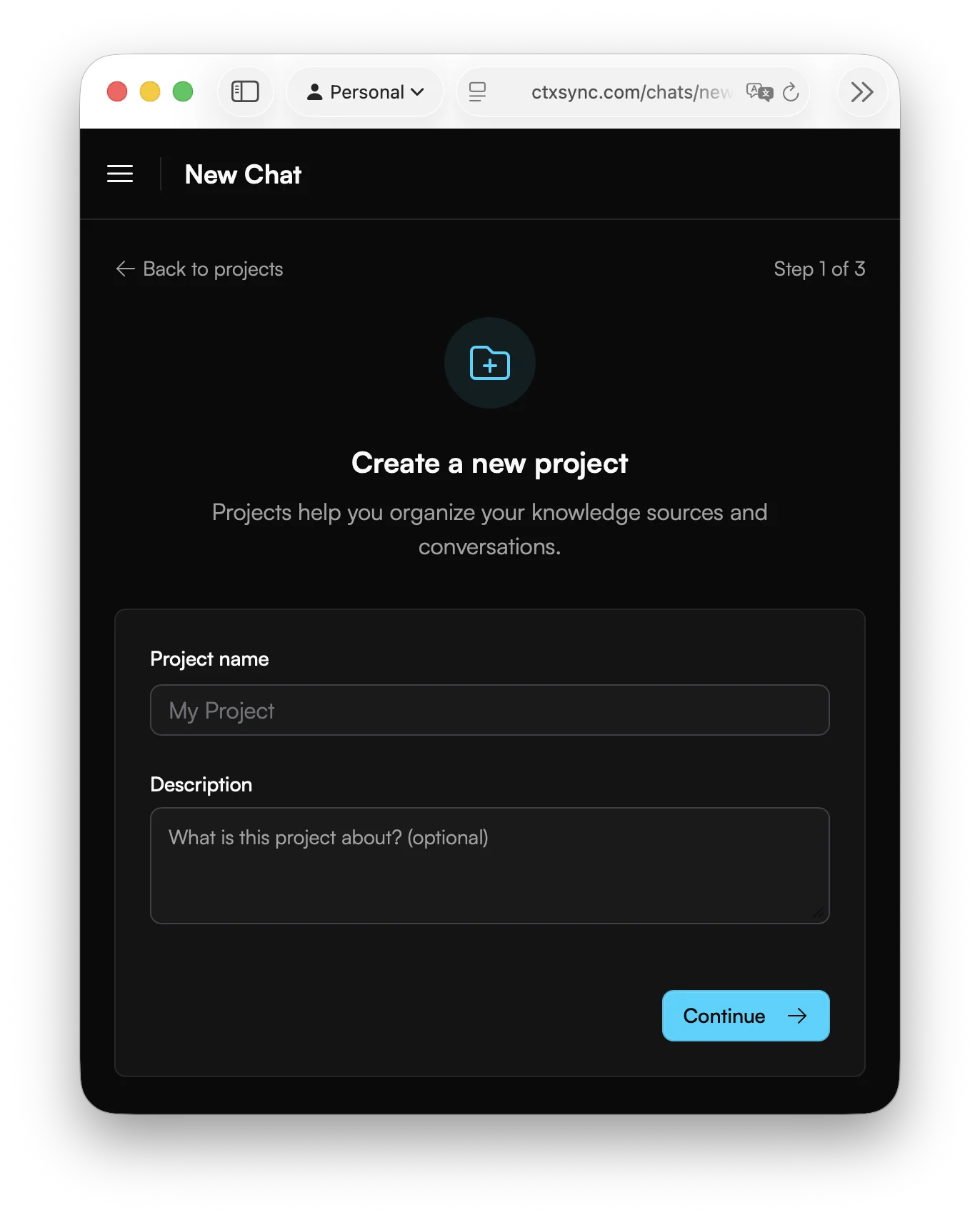
- Click Projects in the sidebar.
- Click New Project.
- Enter a name for your project (e.g., “Backend API” or “Mobile App”).
- Optionally add a description to help you remember what this project is for.
- Click Create.
Your project is now ready. The next step is adding sources so the AI has something to work with.
What belongs in a project
A good rule of thumb: one project per codebase or related set of repositories. For example:
- A monorepo with frontend and backend → one project
- A microservice plus its documentation site → one project
- Two completely unrelated apps → two separate projects
What happens under the hood
When you start a chat, CtxSync spins up an isolated Docker container for your project. All your synced sources are mounted into this container, giving the AI assistant direct access to your files. Each project gets its own container — nothing is shared between projects.
Next steps
- Add sources to your project (repos, websites, or files)
- Connect GitHub or GitLab to use repositories as sources