Overview
What is CtxSync and why use it
All your context. Always in sync.
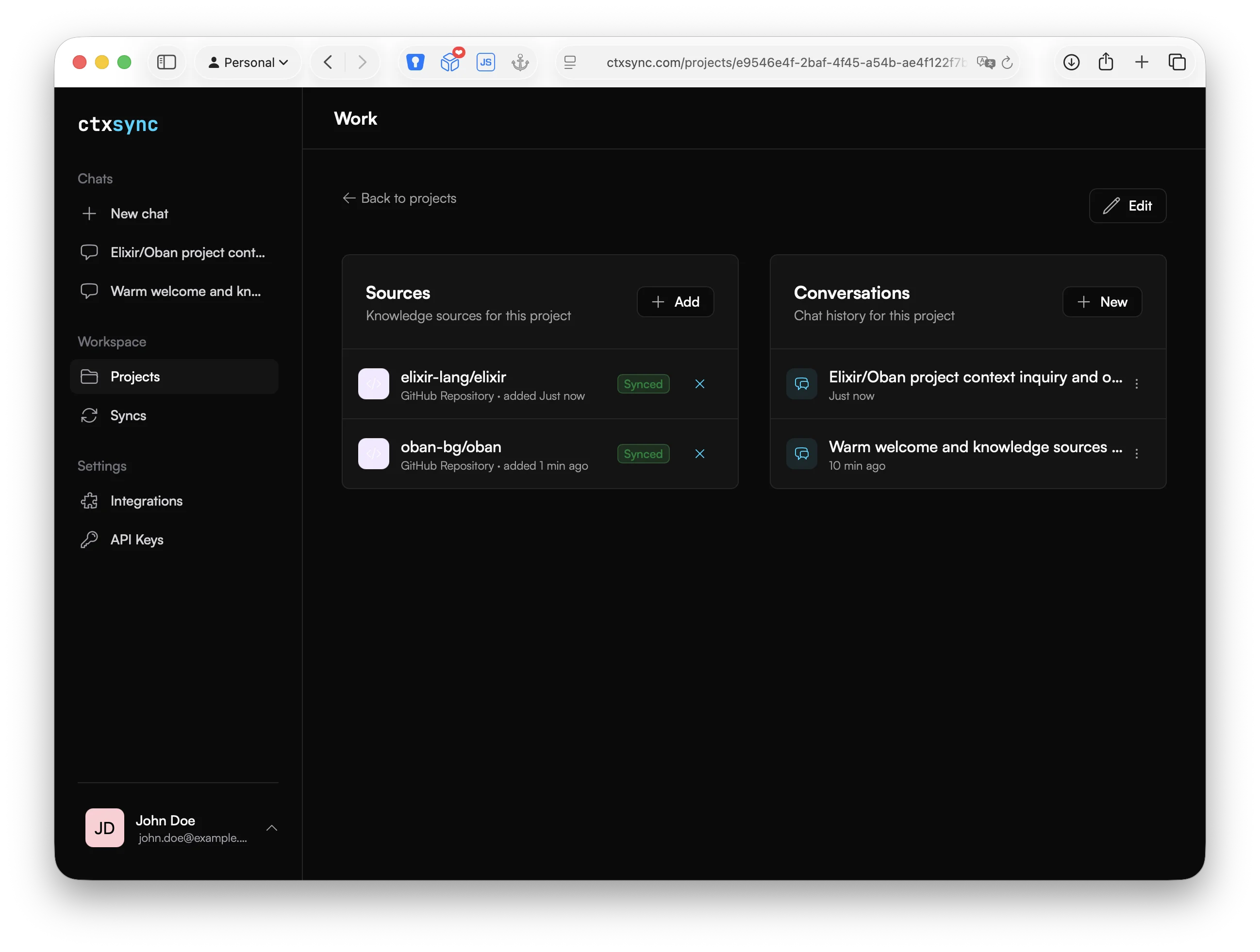
CtxSync is an AI-powered code context platform. Connect your repositories, websites, and files — then chat with an AI that actually understands your entire project.
Instead of pasting snippets into a chat window and hoping for the best, CtxSync syncs your full project sources into an isolated environment where the AI can read, search, and reason about your codebase directly.
Why CtxSync
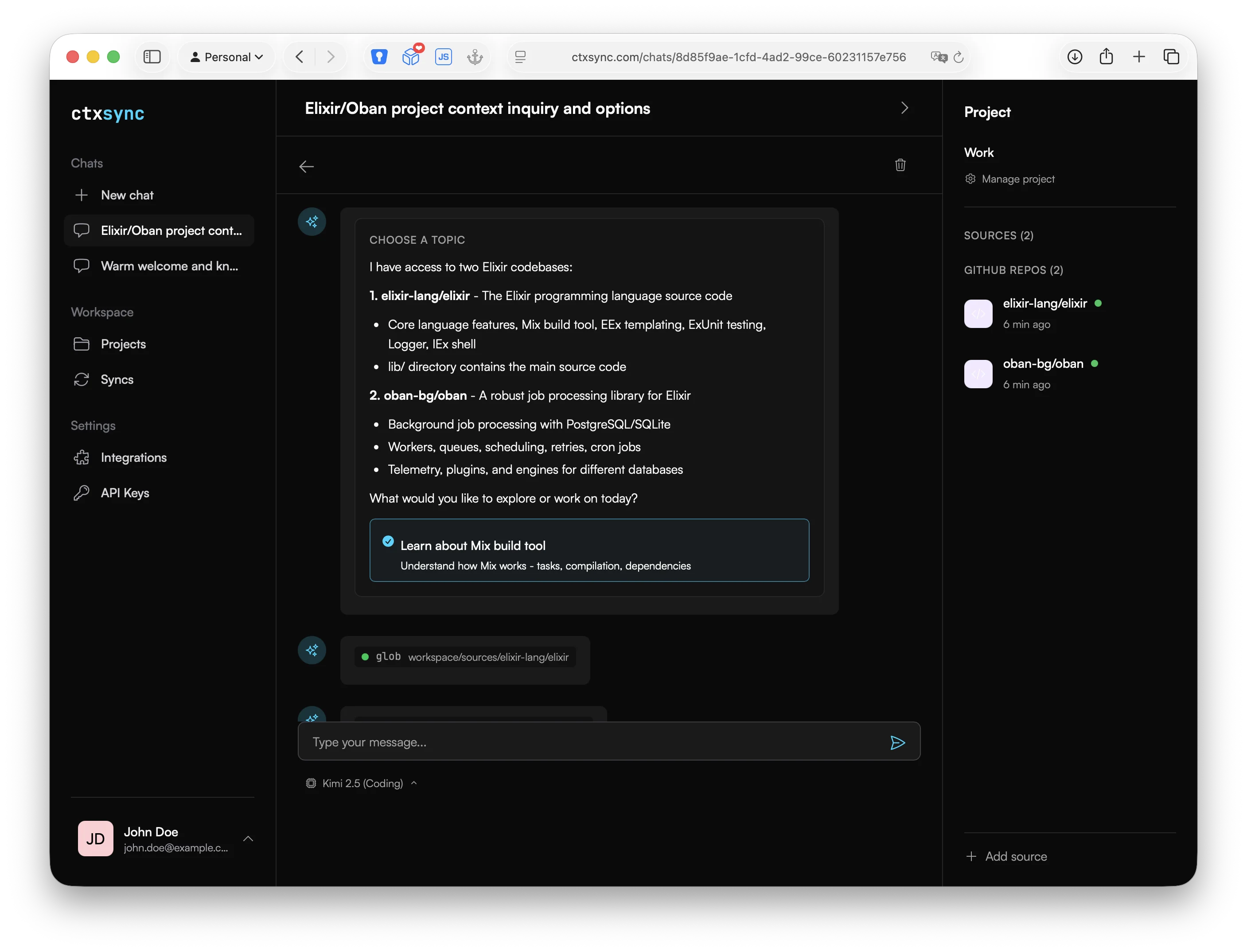
- Full project context — Your AI assistant sees your entire codebase, not just the snippet you pasted. It can follow imports, read configs, and understand how pieces connect.
- Bring your own keys — Use your own API keys from OpenAI, Anthropic, or Kimi. Your keys, your usage, your control.
- Isolated containers — Every chat session runs in its own Docker container with full access to your project sources. Your data never mixes with other users’.
- Multiple source types — Pull in GitHub and GitLab repos, crawl documentation websites, or upload files directly.
- Live integrations — Connect services like Notion so your AI can reference team docs alongside code.
- Sync on demand — Pull the latest changes from your repos whenever you need them.
- Source citations — Answers reference the exact files and locations, so you can verify everything.
How it works
- Connect your sources — Link GitHub repos, add website URLs, or upload files to your project.
- Sources sync into your container — CtxSync clones and indexes everything into an isolated environment.
- Chat with full context — Ask questions, and the AI responds with answers grounded in your actual codebase.
Next steps
- Create your first project to get started
- Add your LLM API key to enable AI chat
- Learn about security and data isolation